Logs
The devices, and the docker containers in general, produce logging output. The easiest way to access the logs of a specific container is to ask docker directly. For example, to access and follow the most recent logs of the device-sdp container, execute on the host:
docker logs -n 100 -f device-sdp
This is mostly useful for interactive use.
ELK
To monitor the logs remotely, or to browse older logs, use the ELK stack that is included on the station, and served on http://localhost:5601. ELK, or ElasticSearch + Logstash + Kibana, is a popular log collection and querying system. Currently, the following logs are collected in our ELK installation:
Logs of all devices,
Logs of the Jupyter notebook server.
If you browse to the ELK stack (actually, it is Kibana providing the GUI), your go-to is the Discover view at http://localhost:5601/app/discover. There, you can construct (and save, load) a dashboard that provides a custom view of the logs, based on the index pattern logstash-*. There is a lot to take in, and there are excellent Kibana tutorials on the web.
To get going, use for example this dashboard, which shows the logs of the last hour, with some useful columns added to the default timestamp and message columns. Expand the time range if no logs appear, to look further back. You should see something like:
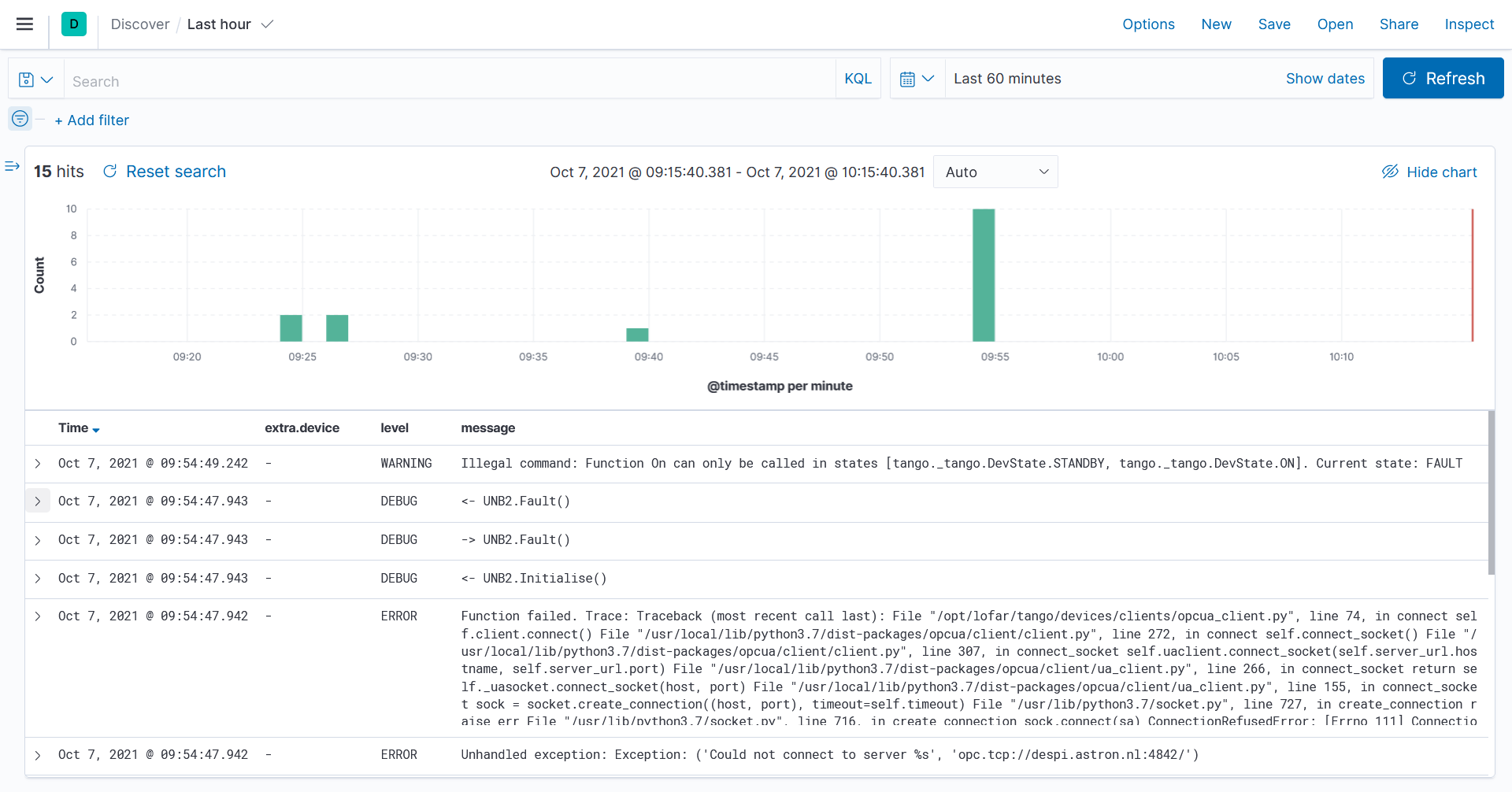
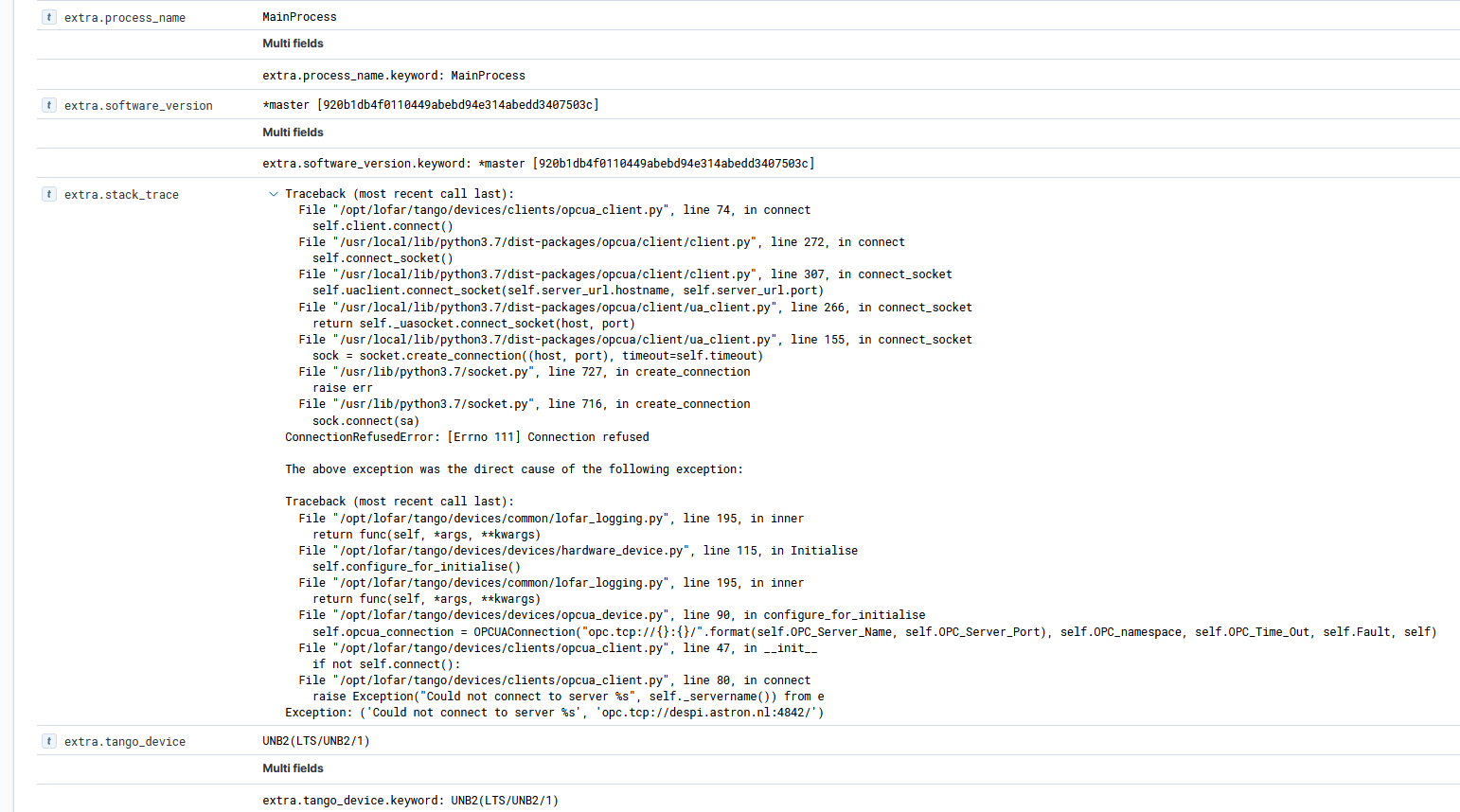
ELK allows you to filter, edit the columns, and a lot more. We enrich the log entries with several extra fields, for example the device that generated it, and stack traces if available. Click on the > before a log entry and the information expands, showing for example:
Furthermore, statistics from the ELK stack, such as the number of ERROR log messages, are made available as a data source in Monitoring GUIs.
LogViewer
For each device, Tango collects the logs as well. These can be viewed with the LogViewer X11 application. Make sure $DISPLAY is set, and run:
cd docker-compose
make start logviewer
If LogViewer does not appear, check docker logs logviewer to see what went wrong.
For information on how to use the LogViewer, see https://tango-controls.readthedocs.io/en/latest/tools-and-extensions/built-in/logviewer/logviewer.html.
Note
If you need an X11 server on Windows, see How do I run X11 applications on Windows?.